
See how your link looks before you share it
Paste in your Open Graph tags, the title, description and image you plan to use, and see how the link will look when it's shared on Facebook, LinkedIn or X. The preview reflects what you've entered, so it won't catch a stale cache or a platform's own rendering quirks.
How to Use the Social Card Generator to Get Open Graph Tags Right
The Social Card Generator builds the Open Graph and Twitter Card meta tags that control how a page looks when someone shares the link on Facebook, LinkedIn or X, and shows you a preview of the result as you type. This guide is for anyone publishing pages that get shared, a blog post, a landing page, a client site, and want the card that turns up to match what they actually intended. Follow it through and you'll come away with tags ready to paste into your page head, plus a clear sense of what to double-check once the page is live, since a preview here doesn't guarantee how every platform will display it.

-
Enter your page details
You add the title, description and image URL you want shown when the page is shared, and the generator builds the matching Open Graph and Twitter Card tags around them.
-
Preview how the card renders
You see how the card is likely to look on Facebook, LinkedIn and X, which helps you catch a cropped image or a truncated title before the page goes live.
-
Copy the tags into your page
You copy the generated meta tags into the head of your page and check the result with a validator or a test share, since the preview here is a useful guide but no platform is guaranteed to render it exactly the same way.
Social Card Generator (Open Graph)
Fill in the fields below to see a live preview of how your page will look when shared on social media, and get a ready to paste block of Open Graph and Twitter Card meta tags for your page head.
Preview
Generated code
Preview Your Social Card Before Facebook or Twitter Do It For You
Paste a URL or enter your Open Graph tags directly and see how the card will actually look when shared on Facebook, LinkedIn or X, including where the title and description get cut off. It's built for anyone publishing a page who wants to catch a missing image or an awkwardly truncated headline before a reader does. Platforms render cards differently and change their rules from time to time, so treat the preview as a working guide.
No account needed · Works on any device · Always free
Popular Tools
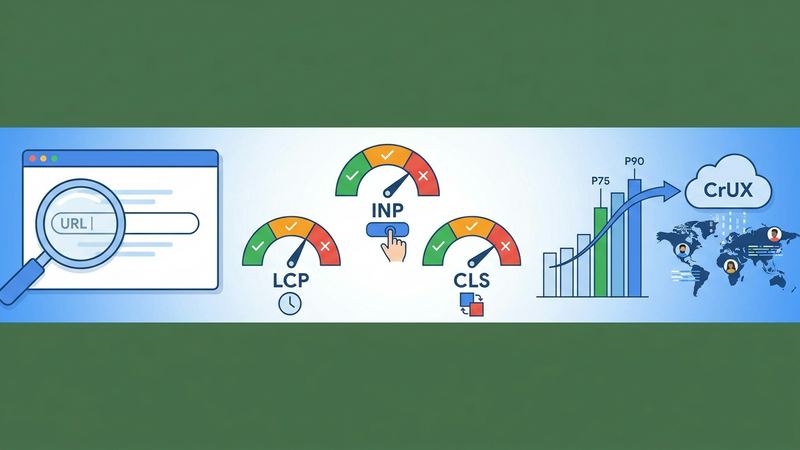
Core Web Vitals Checker — Free SEO Tool
Enter a URL to get real-user LCP, INP, and CLS scores from the Chrome UX Report, with pass/fail verdicts and percentile breakdown.
Web Vitals
Keyword Difficulty Estimator — Free SEO Tool
Enter a keyword phrase and target market to get a difficulty band estimate, intent classification, and related question suggestions from autocomplete data.
KD Estimator
Meta Tag Checker — Free SEO Tool
Paste any URL to instantly check its title tag, meta description, canonical URL, robots directives, Open Graph tags, and H1 — no login required.
Meta Tag Checker
Redirect Chain Checker — Free SEO Tool
Enter a URL to trace its full redirect chain, see the status code at each hop, the final destination, and get flagged if the chain is too long.
Redirect Checker
Robots.txt Tester — Free SEO Tool
Enter a domain and URL path to check whether Googlebot, Bingbot, and generic crawlers are allowed or blocked by the live robots.txt file.
Robots.txt Tester
SERP Snippet Previewer — Free SEO Tool
Enter a title and meta description to see a live preview of your Google search snippet on desktop and mobile, with pixel-width indicators.
SERP Previewer